
One project. Multiple ways to work.
Different organizations manage workforce operations differently.
Some rely on Crew Chiefs to coordinate attendance and working hours. Others require clients to approve timesheets and sign-offs. Increasingly, many organizations want workers to manage their own attendance directly from a mobile device.
The problem is that most workforce management systems force everyone into a single workflow.
SquidWeb takes a different approach.
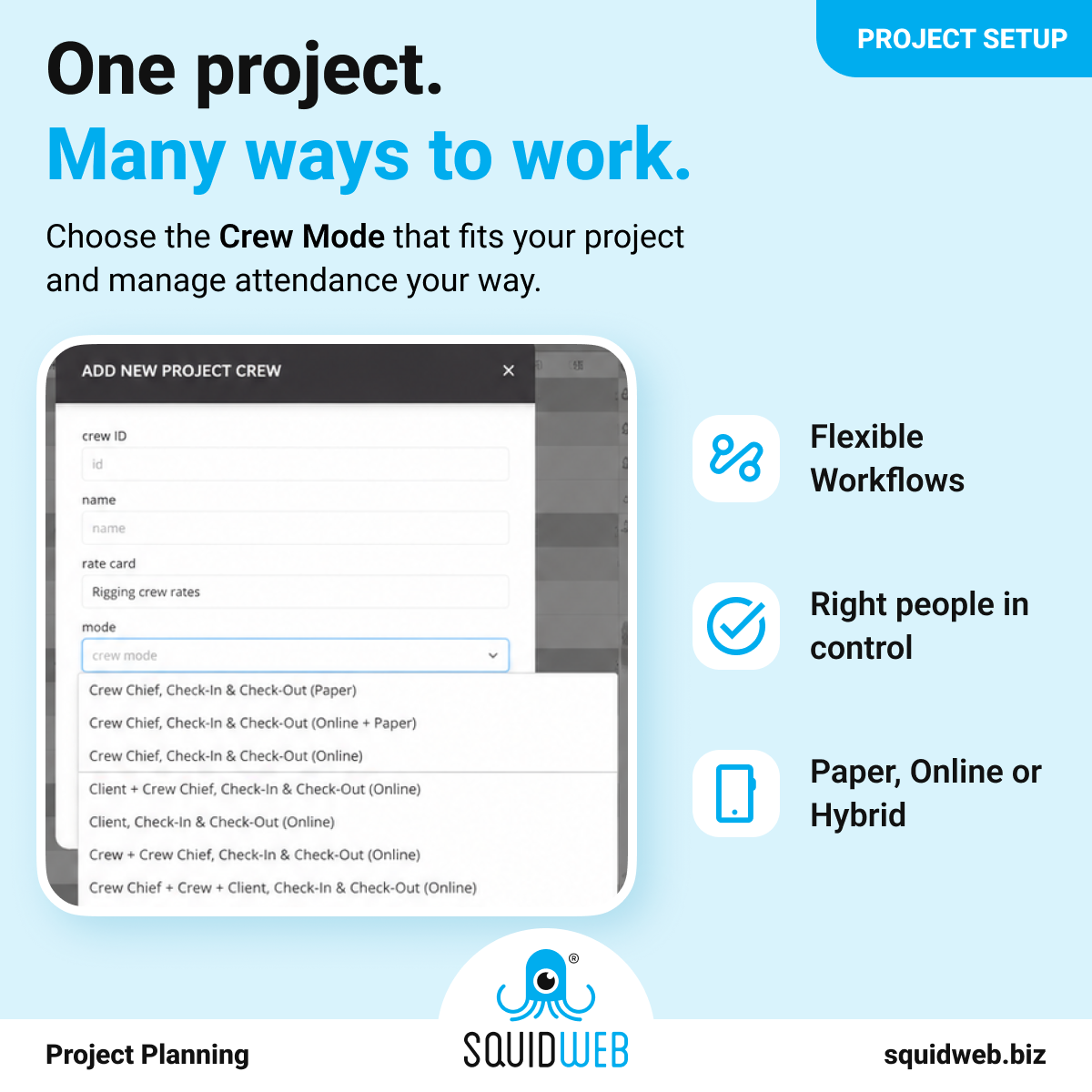
With Crew Modes, organizations can choose exactly how attendance tracking, working hours and sign-off processes are managed for each project.
Why workforce workflows are different
A live event production, a temporary staffing project and a logistics operation rarely follow the same operational process.
For example:
- A festival may require a Crew Chief to manage attendance.
- A temporary staffing company may allow workers to manage their own hours.
- A client-managed project may require direct customer approval.
- Some projects still require paper documentation.
- Others operate entirely digitally.
Trying to force every project into the same workflow often creates unnecessary complexity.
SquidWeb Crew Modes solve this by allowing organizations to configure workforce workflows based on operational requirements.
What are Crew Modes?
Crew Modes define who is responsible for:
- Check-In
- Check-Out
- Working hours confirmation
- Attendance tracking
- Sign-Off processes
Depending on the selected Crew Mode, responsibilities can be assigned to:
- Crew Chiefs
- Crew Members
- Clients
- Project Planners
This allows organizations to standardize operations while maintaining flexibility across different projects and customers.
Paper, digital or hybrid workflows
Not every workforce operation is fully digital.
Some organizations continue to use paper-based attendance processes, while others operate entirely online.
SquidWeb supports:
Paper workflows
Attendance and working hours are managed by a Crew Chief using traditional paper forms.
Hybrid workflows
Attendance is managed digitally while paper documentation remains available as a backup process.
Fully digital workflows
Attendance, working hours and project coordination are managed entirely online through SquidWeb.
Organizations can select the approach that best fits their operational requirements without changing their internal processes.
Self-managed workforce operations
One of the most popular Crew Modes allows workers to manage their own attendance directly.
Using the SquidWeb mobile app, crew members can:
- Check-In
- Check-Out
- Confirm working hours
- View project information
- Receive operational instructions
This reduces administrative effort for planners and Crew Chiefs while providing real-time visibility into workforce activity.
For organizations managing large numbers of workers, self-managed attendance can significantly improve operational efficiency.
Flexible sign-off processes
Different clients require different approval processes.
SquidWeb supports multiple sign-off methods, including:
Client Sign-Off Page
Clients can review and approve attendance and working hours through a dedicated online sign-off page.
Sign-Off Links
Project managers can send approval links directly to clients for validation.
Delivery Note Review
Clients can review and approve project information through a digital delivery note preview.
PDF Sign-Off
A delivery note can be generated automatically and sent for digital signature.
This flexibility allows organizations to adapt sign-off workflows to client preferences and contractual requirements.
Built for different industries
Crew Modes are used across a wide range of workforce-intensive industries.
Examples include:
- Live events and entertainment
- Temporary staffing agencies
- Logistics and warehousing
- Facilities management
- Construction projects
- Agriculture and seasonal workforce operations
Because every industry works differently, workforce workflows must remain configurable.
Crew Modes provide the flexibility needed to support these operational differences without requiring separate systems or manual workarounds.
One platform, multiple workforce workflows
Workforce management is not just about planning and assigning people.
It is also about managing how work is executed in the field.
By allowing organizations to configure attendance tracking, working hours and sign-off processes, Crew Modes help ensure workforce operations align with the realities of each project.
Whether your organization prefers paper-based attendance, client approvals, Crew Chief management or fully self-managed digital workflows, SquidWeb provides the flexibility to support the way you work.
Want to see Crew Modes in action?
Request a demo and discover how SquidWeb adapts attendance, working hours and sign-off workflows to fit your operational requirements.